Make it in minutes, on your phone or laptop
Pick a starter, tap a design, choose how it opens. Every change shows up in the phone beside you as you type. Stuck for words? The AI writes the lines and paints a cover, on your own OpenAI key.
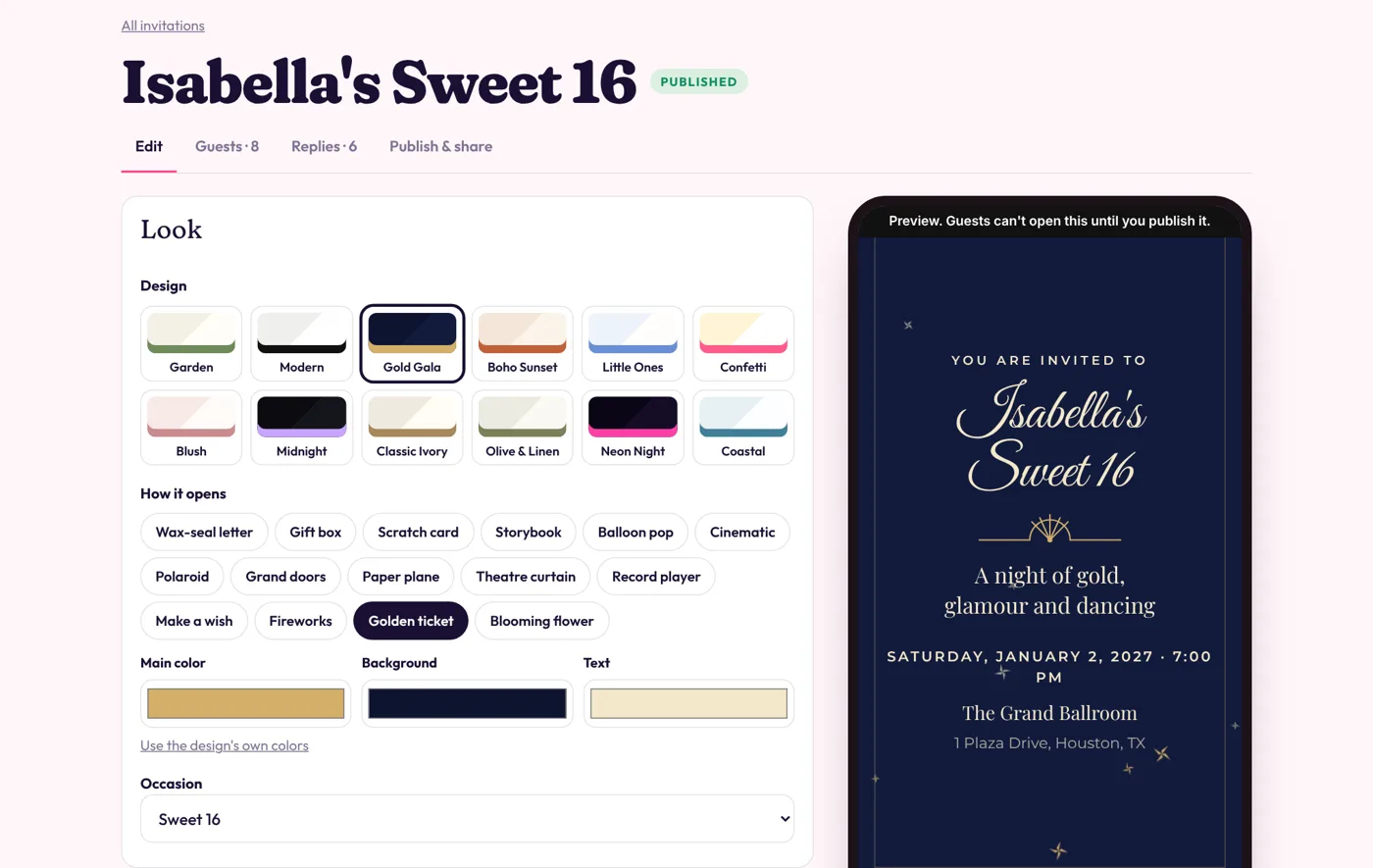
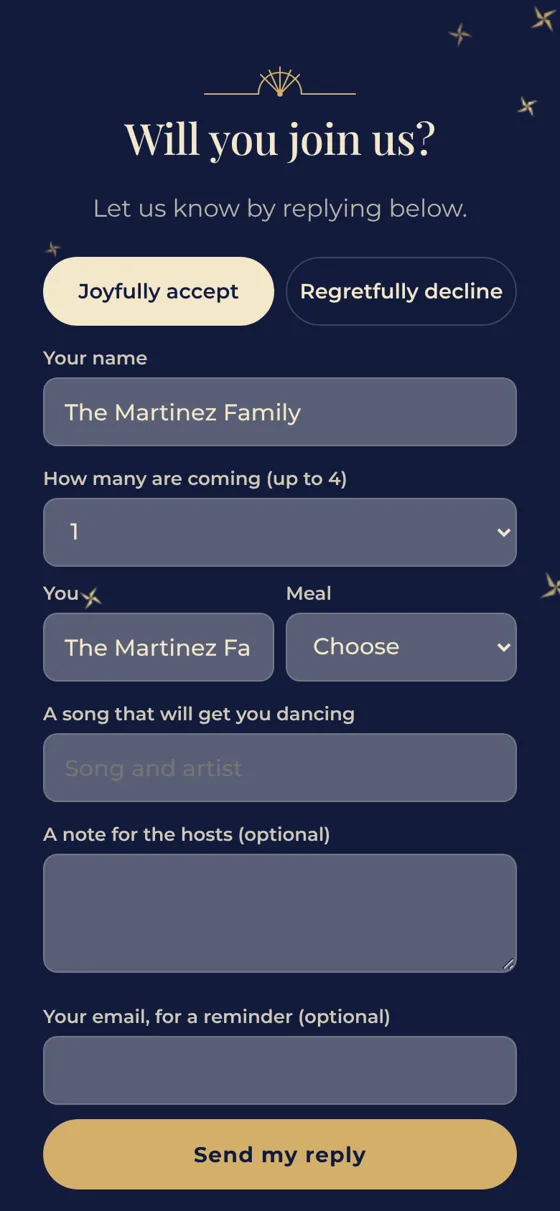
Guests tap and something happens: a seal breaks, fireworks fill the sky, or you appear full screen and invite them yourself. They hear your voice say their name, their song plays, and every RSVP lands with the meal choice and the number coming. Send it by text from your own phone.
Build and preview free, no card. $88 once to send them, yours for life.
tap it, it's real
The classics, seven you won't find anywhere else, and the video invitation starring you. Every one works with every design. Tap one.
Hold your phone up and talk to them. When they open your invitation, there you are, full screen, telling them how much you want them there, with their name at the top so they know it's theirs.
The second your video ends it turns into the reply form, so the yes comes in while they're still smiling. Record it right on your phone, or upload one you already made.
Weddings, birthdays, a grand opening, a business inviting its best customers to something special.
Pick a starter, tap a design, choose how it opens. Every change shows up in the phone beside you as you type. Stuck for words? The AI writes the lines and paints a cover, on your own OpenAI key.
Every invitation comes with games your guests actually play. The first yes wins a crown, everybody leaves a note on the guest wall, and on the day they tap in, get stamped and fill a photo album you all share. You watch it happen live, with confetti on your screen every time somebody says yes.
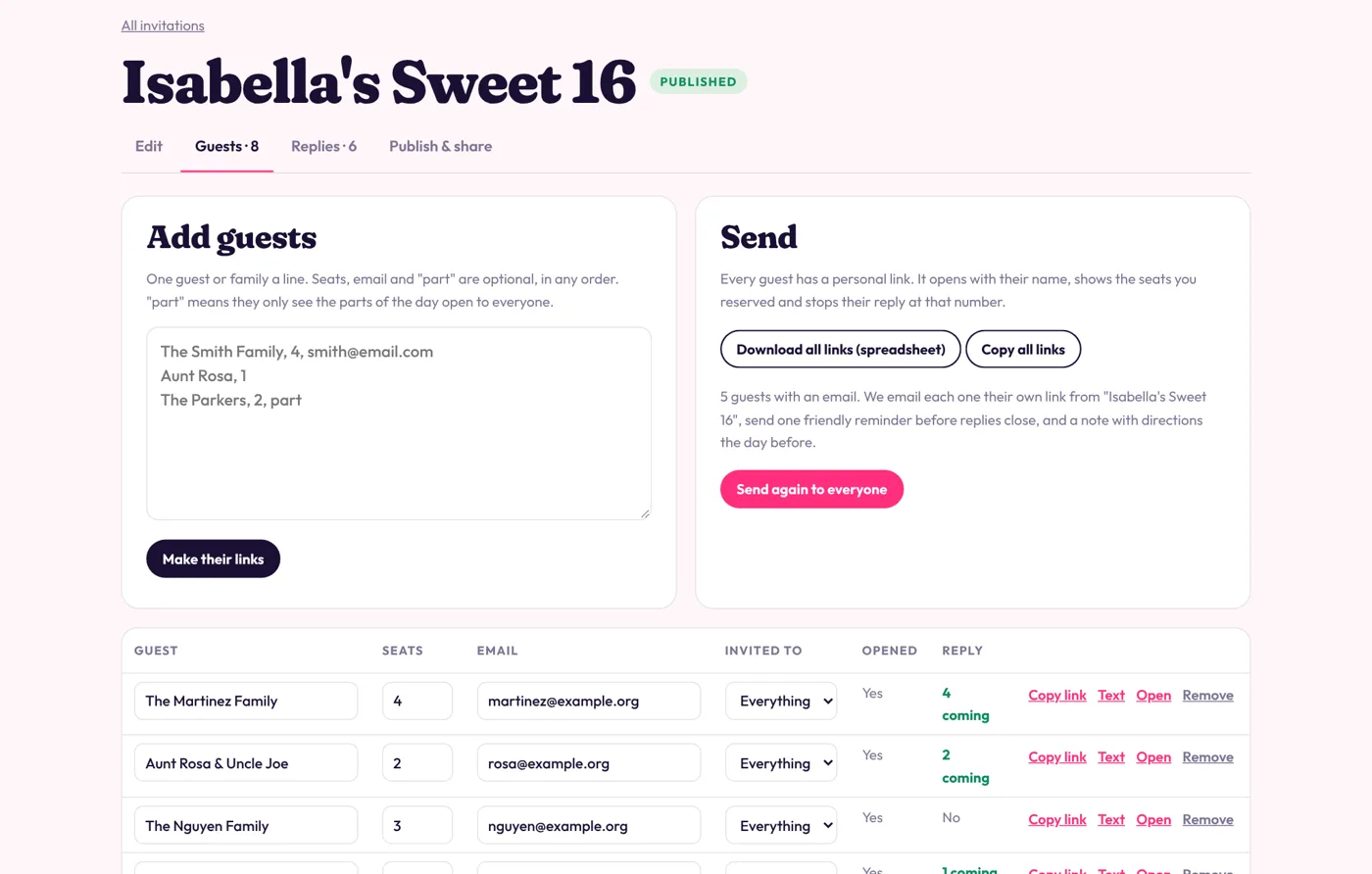
Paste your guest list. Each family gets a link that opens with their name, shows the seats you saved for them and stops the reply right there. No surprise plus-ones.
Ceremony and reception for some, reception only for others? Mark them, and each sees their own day.
Text the links from your own phone, send them on WhatsApp, download them as a spreadsheet, or let us email each guest.
Record a voice message from your phone, or type it and let an AI voice say it. Then record a quick greeting for each guest: "Aunt Rosa! You have to be there." They hear their greeting, then your message, back to back, so it sounds like you called them yourself.
No time to record twenty greetings? Type one line like "Hey {name}, we'd love you there" and the AI greets every guest by name.
Tap "Send to the next guest" and your phone's own share menu opens with their personal link ready: Messages, WhatsApp, Instagram, email, whatever they use. Tap send, then the next one. Inviter keeps count of who you sent it to, who opened it and who said yes.
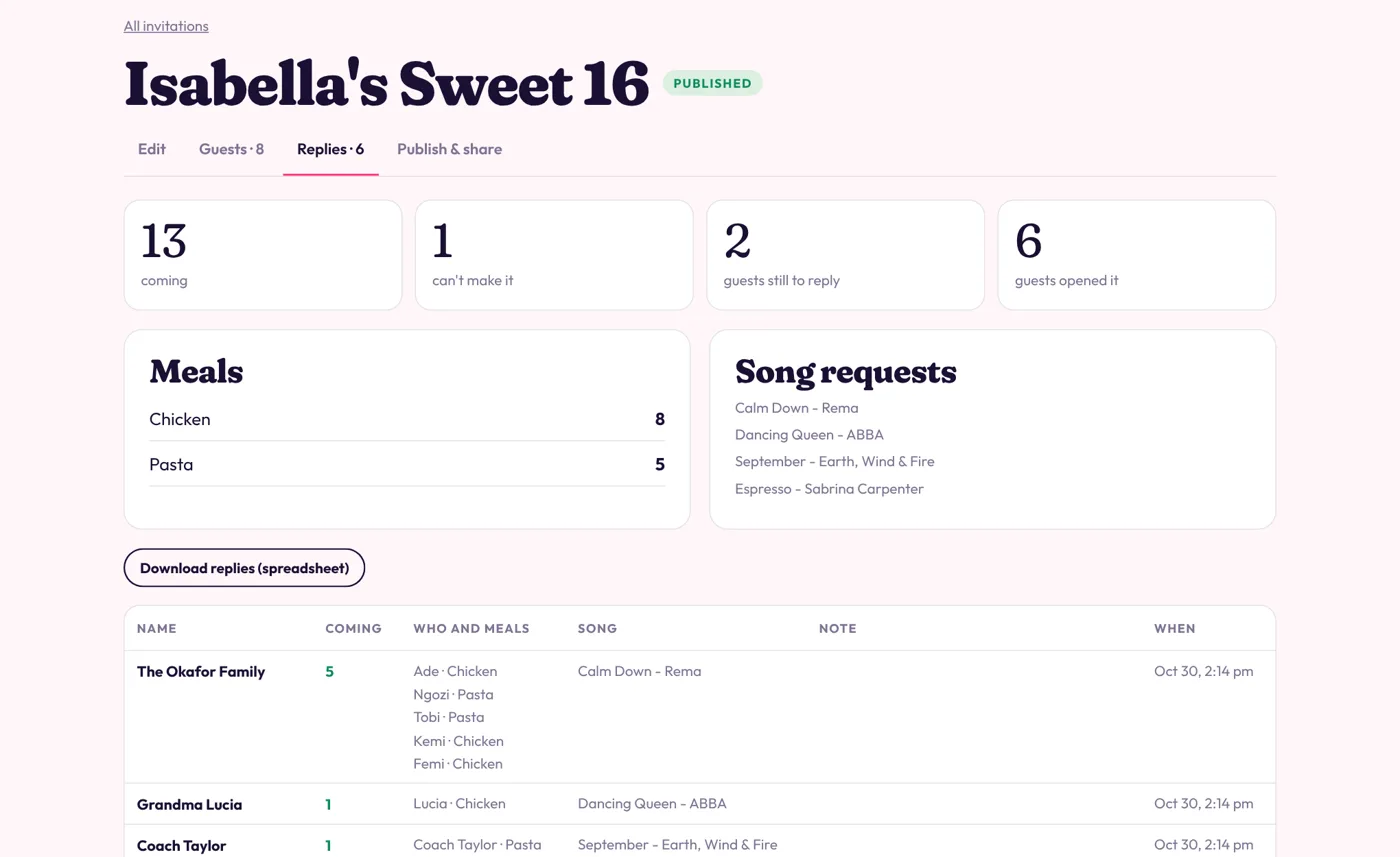
Who's coming, how many, every meal tallied, the songs people want to dance to, and a note when somebody writes one. You get an email the moment each reply lands.
Nobody forgets: one friendly nudge goes to anyone who hasn't replied before the deadline, and directions go out the day before.
A JPG in a group text
An Inviter invitation
The wedding, the Sweet 16, the baby shower, the 40th. Make one your guests talk about, let it count the replies, and keep it for every celebration in the family.
Commercial use is included, as many clients as you like, and they pay you directly. A short guide inside covers pricing, the first clients and what to say. What you earn is up to you and your market; we promise no results.
Launch price
$88
once, yours for life
Worth $20 a month or $200 a year, which is what Inviter costs once the launch price ends. Pay once now and it's yours for life.
No subscription. Or start free and pay when you're ready to send. Not happy in the first 14 days? Email us for a full refund.
No. Start from a finished invitation, change the words and photos, pick colors if you want. The AI can write the words for you.
Nothing. It is a link. It opens on any phone or computer, no app.
Yes. Build as many as you like and preview them full screen. You pay once when you want guests to open them and reply.
Record a video on your phone, held upright, or upload one you already have (up to 300 MB; a minute or two is perfect). When a guest opens the invitation your video plays full screen with sound, with their name at the top. When it ends, or they tap Reply now, it turns into the reply form, and they can watch it again any time.
While the launch price is on, one payment of $88 and no subscription. You keep making and sending invitations for as long as Inviter runs. That is worth $20 a month or $200 a year, which is what it costs once the launch price ends.
Record a main message once, then a few words for each guest (or let the AI say their name). Each guest hears their greeting first and your message right after, as one message. Their song starts when you finish.
Yes. On your phone, Inviter opens your own share menu with each guest's personal link ready, so it goes out from your number on Messages, WhatsApp or anything else. We count every send, open and reply.
So you only pay for what you use, straight to OpenAI. A cover costs a few cents, the words and AI voices a fraction of a cent. Everything else, including recording your own voice, works without a key.
Yes. Paste your list and every guest or family gets a personal link with their name, their reserved seats and, if you like, their own version of the day.
Yes. Commercial use is included, for as many clients as you like, with no royalties and no commission. Your clients pay you directly.
Only if you ask us to, only guests you added, and every email has a one-tap link to stop them. You can also text the links yourself.
Use songs you have the right to share. The song plays only inside that one invitation.